Time

Public Safety Scheduling Software

Manage complex shift schedules, automate overtime rules, track employee time, and improve staffing visibility while reducing administrative workload and compliance risk.

What is PowerTime?

PowerTime is scheduling and workforce management software built specifically for public safety agencies. It helps law enforcement, corrections, fire departments, and emergency communications centers manage employee schedules, overtime, leave requests, and time tracking from one secure cloud platform. Agencies can automate complex scheduling rules, improve staffing visibility, reduce administrative work, and maintain compliance with labor policies.

See How It Works

Trusted by Public Safety Agencies

Law Enforcement

Manage complex patrol schedules, court appearances, specialty units, overtime, and shift rotations from a single platform. Automate scheduling rules while maintaining staffing coverage and compliance.

Fire & EMS

Support 24/48 schedules, Kelly schedules, mandatory staffing requirements, shift trades, and overtime management with scheduling tools built specifically for fire and EMS agencies.

Corrections

Manage secure staffing assignments, overtime eligibility, leave requests, and post coverage while maintaining appropriate staffing levels across every facility.

Emergency Communications

Dispatch centers can schedule 24/7 operations, manage shift swaps, reduce fatigue risks, and ensure certified personnel are assigned to every shift.

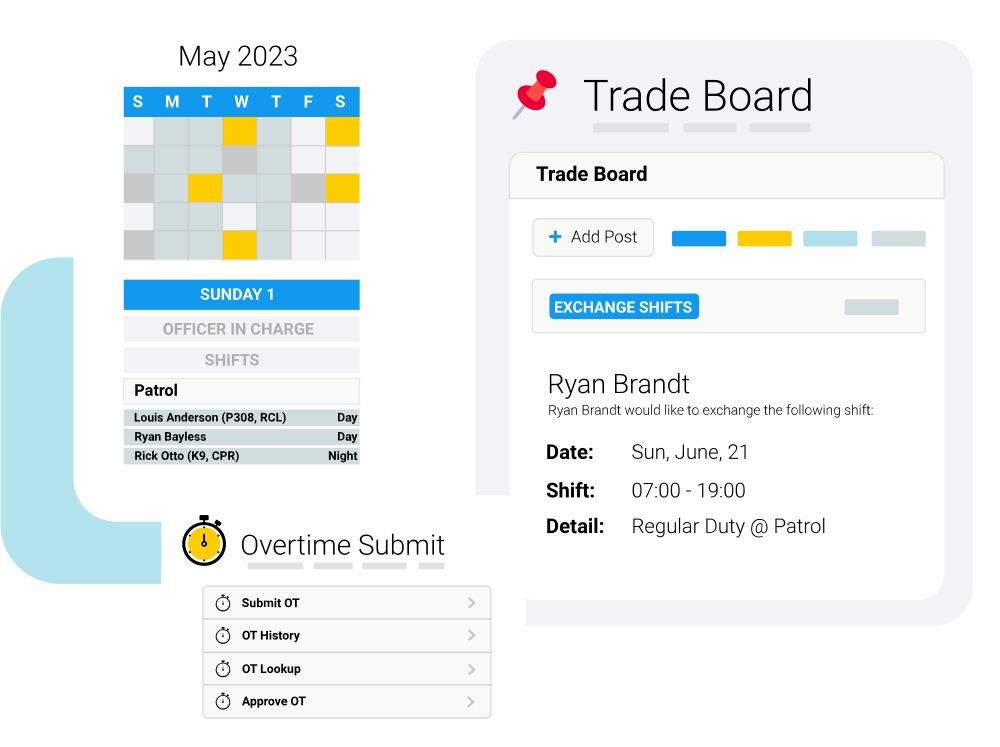
powerdms-app-screen-LE_trade-board-911-01-1

Common Public Safety Scheduling Challenges

Physical master boards, manual shift grids, and generic commercial calendars create bottlenecks and compliance gaps inside first responder teams.

  • Managing complex shift rotations
  • Controlling overtime costs
  • Reducing scheduling conflicts
  • Simplifying leave management
  • Improving payroll accuracy
  • Supporting FLSA and union compliance

Automate Public Safety Scheduling, Overtime, and Time Tracking

icon-alert-eye
Department Support Security

Control who can view schedules, approve leave, assign overtime, or edit employee records based on department, division, or role.

icon-time-calendar-full
Automated Overtime Management

Build overtime lists based on agency rules, union agreements, FLSA requirements, employee availability, consecutive hours worked, and seniority to ensure fair and compliant shift assignments.

icon-strategy-game-plan
Proactive Time Off Projection Logs 

View real time balance projections that calculate future leave accrual trends automatically, blocking overdraft requests before supervisor sign offs occur.

Manage Scheduling from the Office or the Field

Help your shift commanders, field personnel, and human resource managers track daily timesheets in fewer steps.

  1. Build Your Agency Schedule
    Create recurring patrol rotations, fire schedules, dispatcher shifts, or correctional staffing plans using configurable scheduling rules. Publish schedules across departments while maintaining role based visibility and staffing requirements.

  2. Employees Manage Their Time
    Employees can securely view schedules, request time off, swap shifts (if enabled), clock in and out, and sign up for available overtime using the web or mobile app.

  3. Automate Scheduling and Overtime
    PowerTime automatically applies agency policies, union agreements, FLSA rules, minimum staffing requirements, and overtime eligibility to help managers make fair, compliant scheduling decisions.

  4. Review and Approve Time
    Supervisors review employee time, leave requests, overtime, and exceptions from a centralized dashboard. Automated alerts help identify scheduling conflicts, overtime limits, and staffing gaps before approvals are finalized.

  5. Export to Payroll and Reporting
    Once time is approved, PowerTime exports payroll-ready data and provides reporting on schedules, overtime, leave balances, staffing, and labor costs to help agencies improve efficiency and compliance.

powerdms-app-screen-LE_time-off-request (1)

Powerful Scheduling Features Built for Public Safety

Custom Permissions

 Give administrators control over who can view schedules, approve leave, manage overtime, and edit employee records.

Minimum Staffing

Ensure sufficient 24/7 staffing with open shift updates for administrators and employees.

Schedule Views

Get a real-time view of the schedule for the day, week, or month and make edits from wherever you are.

Time Off Requests

Employees submit time off requests from wherever they are and receive real-time updates.

Overtime

Streamline the entire process of open shifts due to minimum staffing or special events.

Notifications

Email and mobile notifications sent automatically for efficient communication throughout.

Payroll Exports

Timesheets and exports populate with scheduling data and approvals offering a seamless pay period end.

Improve Efficiency, Reduce Overtime Costs, and Support Compliance

Reduce manual work, improve scheduling accuracy, control overtime costs, and maintain compliance while giving employees better visibility into their schedules and time off.

  • Reduce Administrative Work: Automate scheduling, leave management, time tracking, and payroll workflows to eliminate duplicate data entry and reduce time spent on manual administrative tasks.
  • Improve Compliance & Audit Readiness: Maintain accurate records with detailed audit logs, digital approvals, and automated policy enforcement to support labor compliance and reduce payroll errors.
  • Control Overtime Costs: Enforce overtime rules, staffing requirements, and employee eligibility to help prevent unnecessary overtime and scheduling errors to make informed staffing decisions.
  • Improve Employee Retention: Give employees self-service access to transparent schedules, leave balances, overtime opportunities, and time-off requests through a secure web and mobile experience.
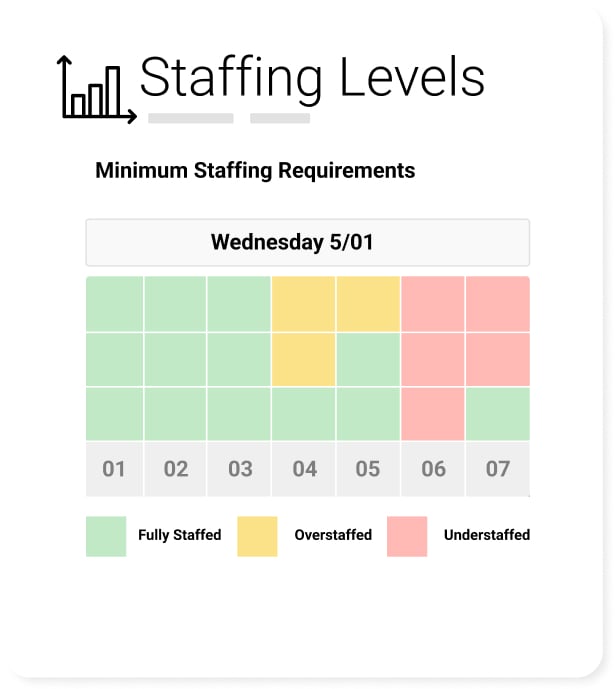
powertime-graphic-staffing-levels

Shifting Fragmented Rotations to Platform Governance

Generic Software
The PowerTime Solution
Built for many industries Built specifically for public safety
Basic shift scheduling Handles Complex rotating schedules
Standard overtime
FLSA and union overtime rules
Limited payroll support Public sector payroll integrations
Basic permissions Role based security

East Lampeter Township Police Department

logo-east-lampeter-police

Officers don’t have to call in to verify schedules, hearings, court dates, etc. – these are all available on their phone.” 

Chief Zerbe - East Lampeter Township Police Department

SHASCOM-911

powerdms-shascom-time-case-study-blog-header
“One thing I found exceptional about [PowerTime] was how quickly our
agency adapted to it. The [PowerTime] team made sure the implementation
process was simple and easy, even during initial setup at the very beginning.”

Jessica Larmour - Operations Manager, SHASCOM-911

Upland Police Department, CA

powerdms-upland-pd-image
“One thing that I really love about PowerTime is that I can access it anywhere. Because our day doesn't end when we leave the office.”

Lt. Maurice (Moe) Duran - Upland Police Department, CA

Grosse Pointe Park Public Safety, MI

powerdms-assets-photos-902-grosse-case-study
"With PowerTime, it increases productivity for both me and the officers because it allows us all to have more time for other tasks.”

Lt. Anthony Blain - Grosse Pointe Park Public Safety, MI

Connect PowerTime with Your Existing Public Safety Systems

PowerTime integrates with payroll, HR, onboarding, learning management, and other workforce management solutions to eliminate duplicate data entry and keep employee information synchronized across systems.

  • PowerPolicy: Aligns your daily scheduling and staffing needs with policy requirements. Ensure that the staff assigned to shifts have met all credentialing and policy standards.
  • PowerDetails: Integrates with PowerTime to offer a single calendar view that combines on-duty shifts with off-duty secondary employment jobs, preventing scheduling conflicts and double booking.
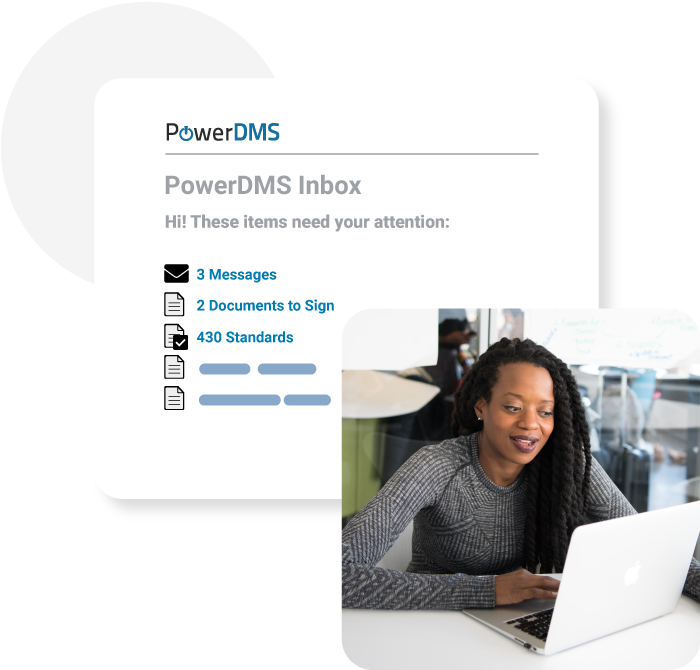
policy-inbox

Secure Workforce Data

PowerTime protects sensitive workforce data with role based permissions, detailed audit logs, secure cloud hosting, and controls designed for public sector organizations.

  • Role Based Visibility Restrictions: Configure visibility parameters so that specialized charge code calculations or medical leave details are visible only to authorized specialists.
  • Unedited transaction logs: Logs an unedited, digital trail of all timesheet corrections, supervisor approvals, and manual overrides for continuous compliance audits.
  • Secure Cloud Hosting: Protect municipal datasets by hosting records on resilient cloud servers engineered to satisfy strict government information security policies.
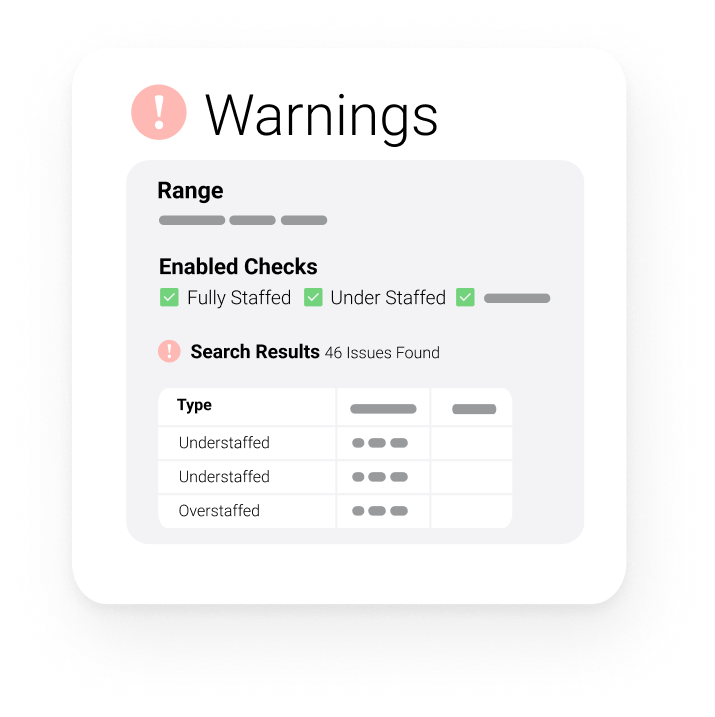
Warnings in PowerTime

Read more about PowerTime

Top Questions We Get Asked

PowerTime automatically projects future leave balances based on scheduled work hours, accrual rules, and approved time off. Supervisors can see whether employees will have enough leave available before approving requests, helping prevent staffing shortages and negative leave balances.

PowerTime is designed for law enforcement agencies, corrections, fire departments, EMS organizations, emergency communications centers, and other public safety employers. It helps supervisors, HR teams, payroll administrators, and agency leaders simplify scheduling, manage overtime, track employee time, and maintain compliance.

Unlike general workforce scheduling software, PowerTime is built specifically for public safety agencies. It supports complex shift rotations, FLSA overtime calculations, union rules, secure role-based permissions, mobile time tracking, and public sector payroll integrations that generic scheduling tools often lack.
Implementation timelines vary based on your agency's size, workforce complexity, and integration requirements. PowerTime's implementation specialists guide agencies through configuration, historical data migration, testing, training, and deployment to help ensure a successful rollout.
Yes. Employees can securely access PowerTime from a web browser or mobile device to clock in and out, submit time off requests, view schedules, track leave balances, review timesheets, and sign up for available overtime opportunities.

PowerTime protects sensitive workforce information with secure cloud hosting, role-based permissions, detailed audit logs, and security controls designed for public sector organizations. These safeguards help agencies protect employee data, maintain compliance, and support secure workforce operations.

Yes. Administrators can configure role-based permissions to control who can view, edit, approve, or manage schedules, employee records, leave requests, and other workforce data. This helps protect sensitive information while ensuring employees only access the information they need.

Read more about PowerDMS PowerPolicy

Stop struggling with timesheets, whiteboards, and spreadsheets.

Automate your overtime policy, empower your staff, and ensure compliance.

Equip your team with the premier public safety scheduling engine built for public safety and government.

     Fill out the form to request a demo.